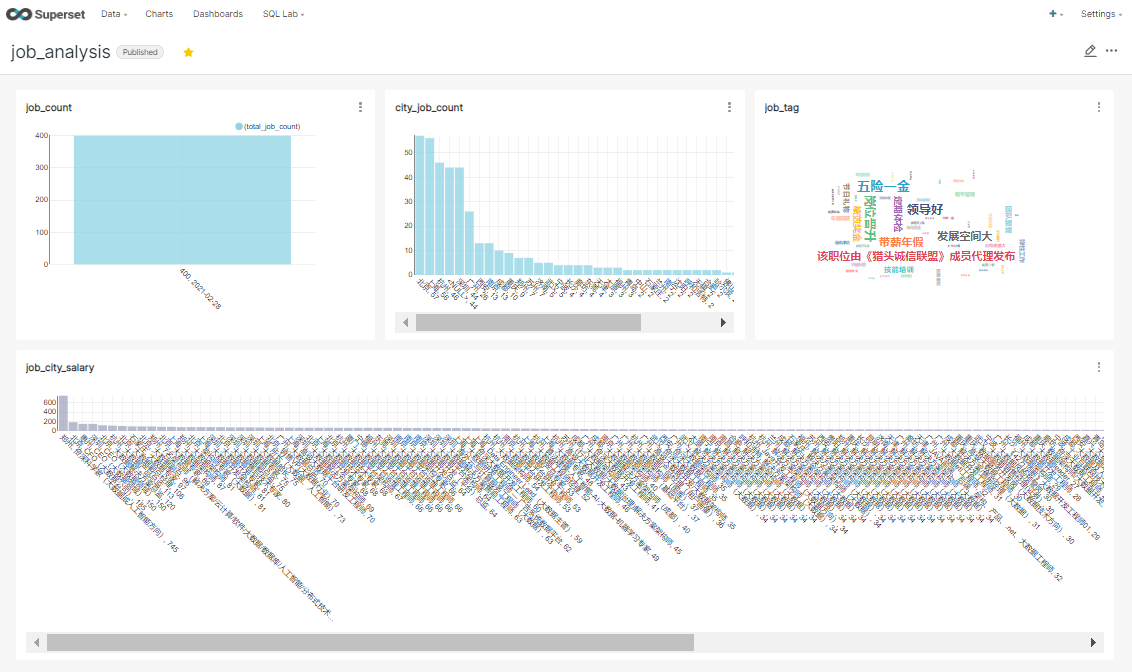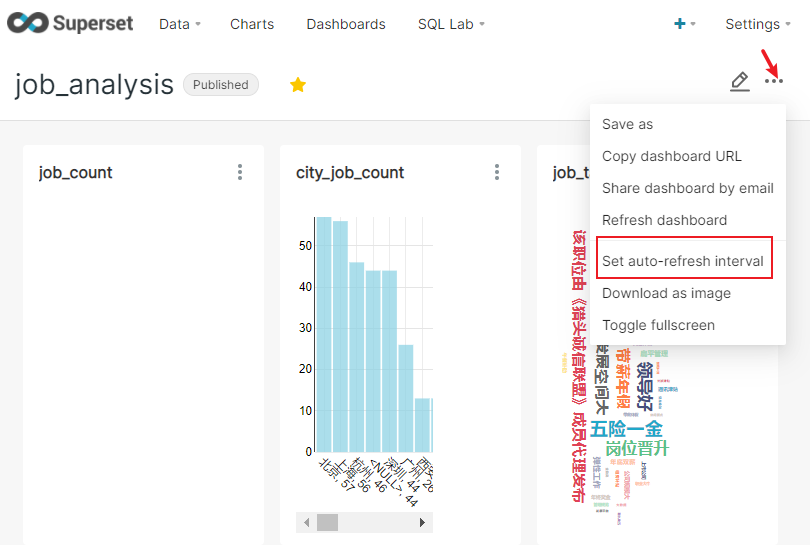
百度搜索官网
使用八爪鱼网络数据采集器爬取数据
使用手机号注册账号
利用现有模板创建采集任务(免费用户不能设置定时采集以及云采集)
这里选择的是猎聘招聘网
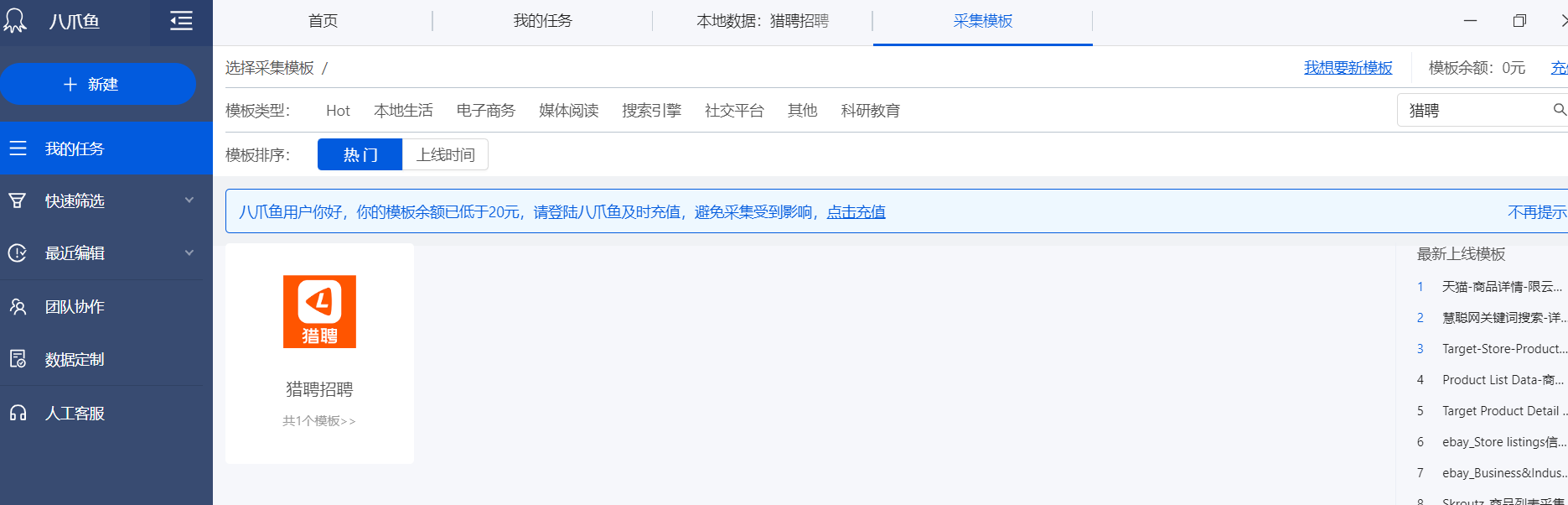
设置查询关键词,这里使用”大数据“作为关键词
关键词可以写多行,并设置翻页次数
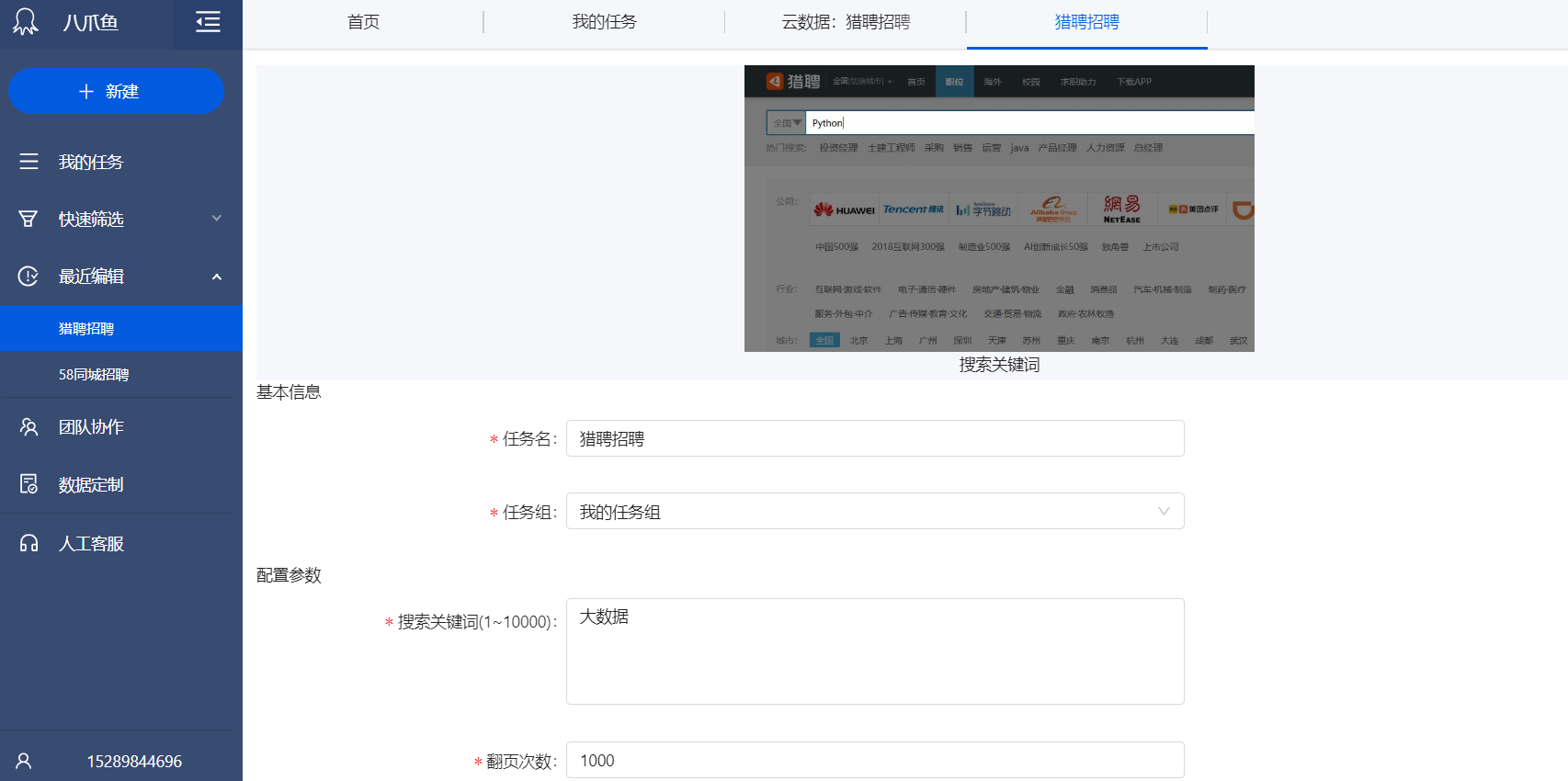
启动本地采集任务
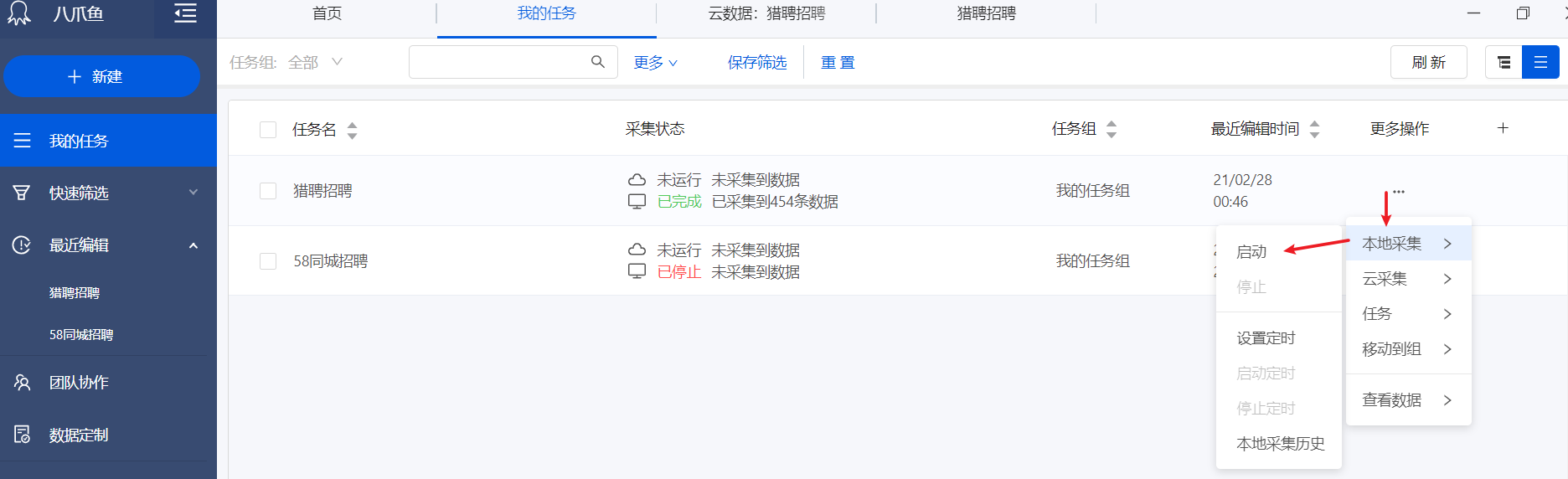
如果IP被禁,过一段时间再次开启,多次执行就会累计足够数据
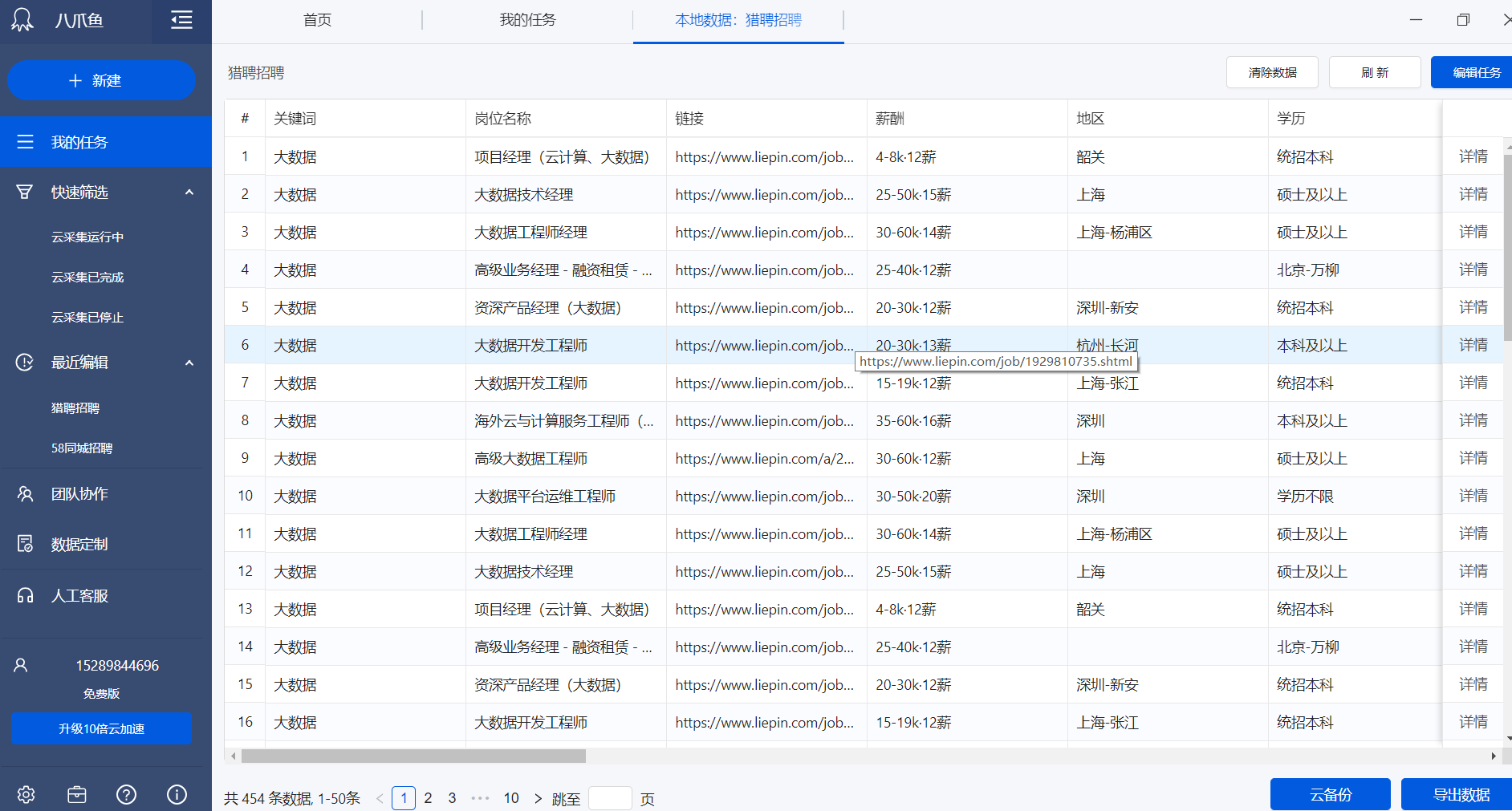
查看本地采集的数据
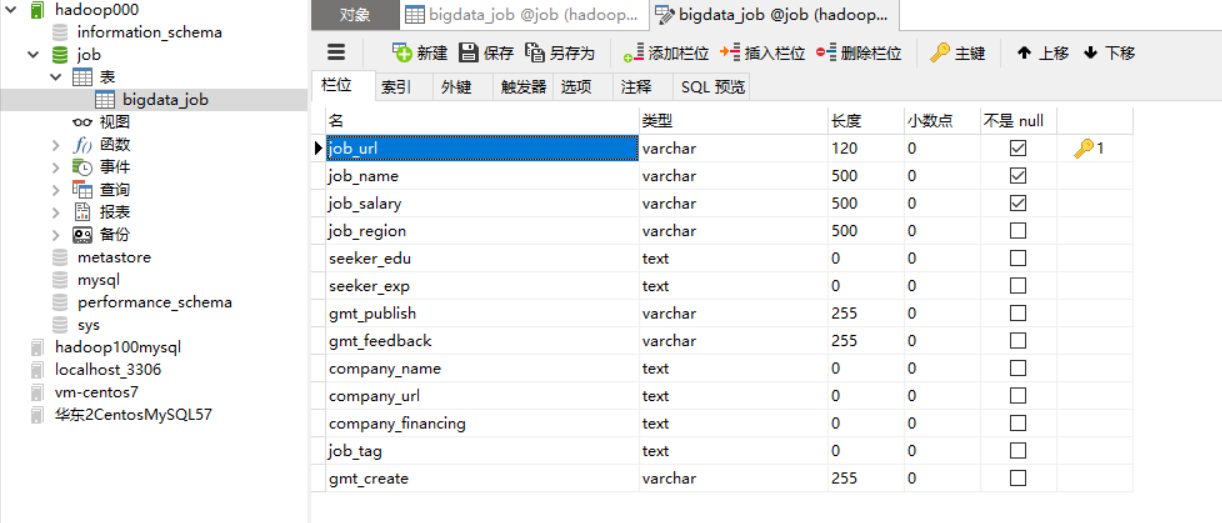
在远程数据库创建数据库,选取感兴趣的列建表
使用八爪鱼自带功能导出到远程MySQL数据库 (如果需要特殊处理可以导出CSV,处理后再导入数据库)
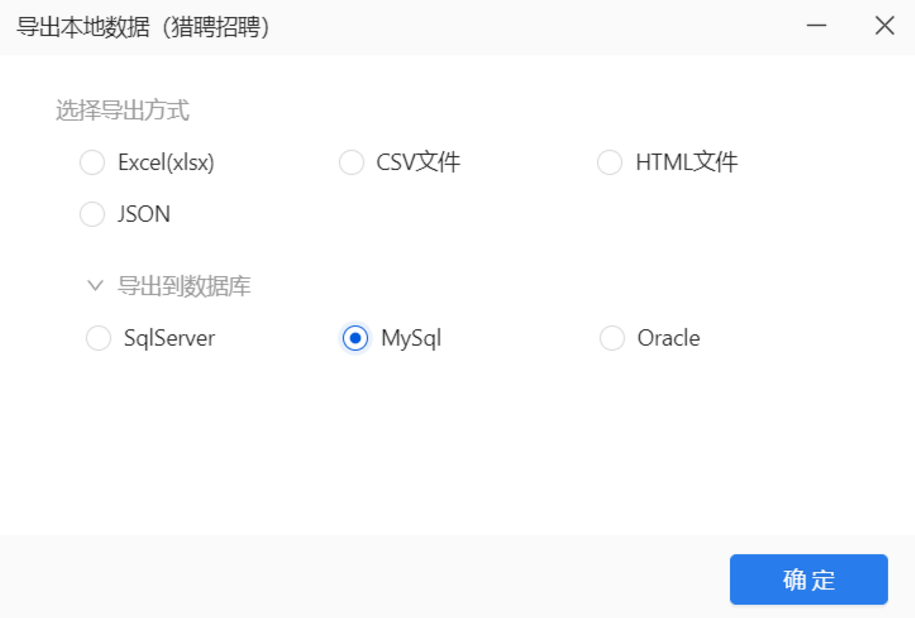
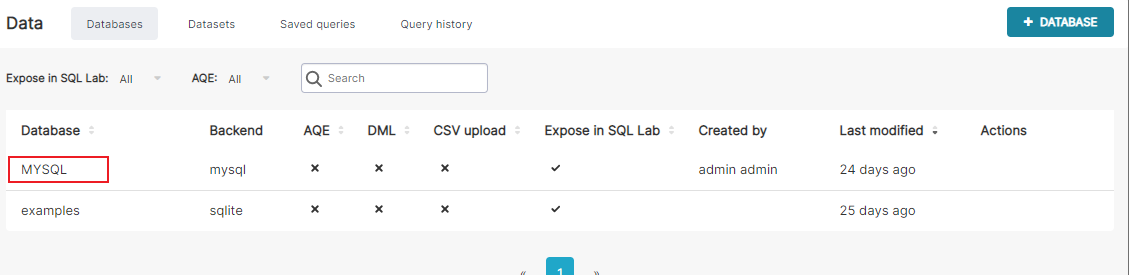
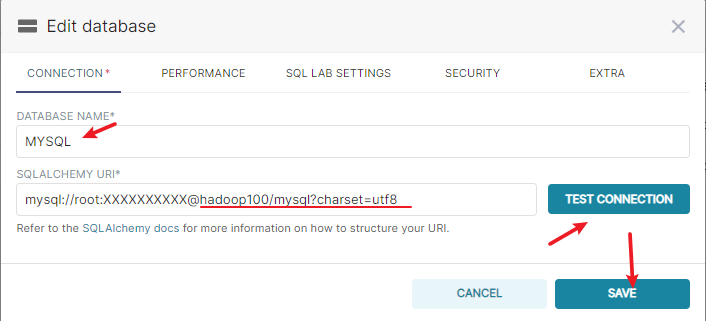
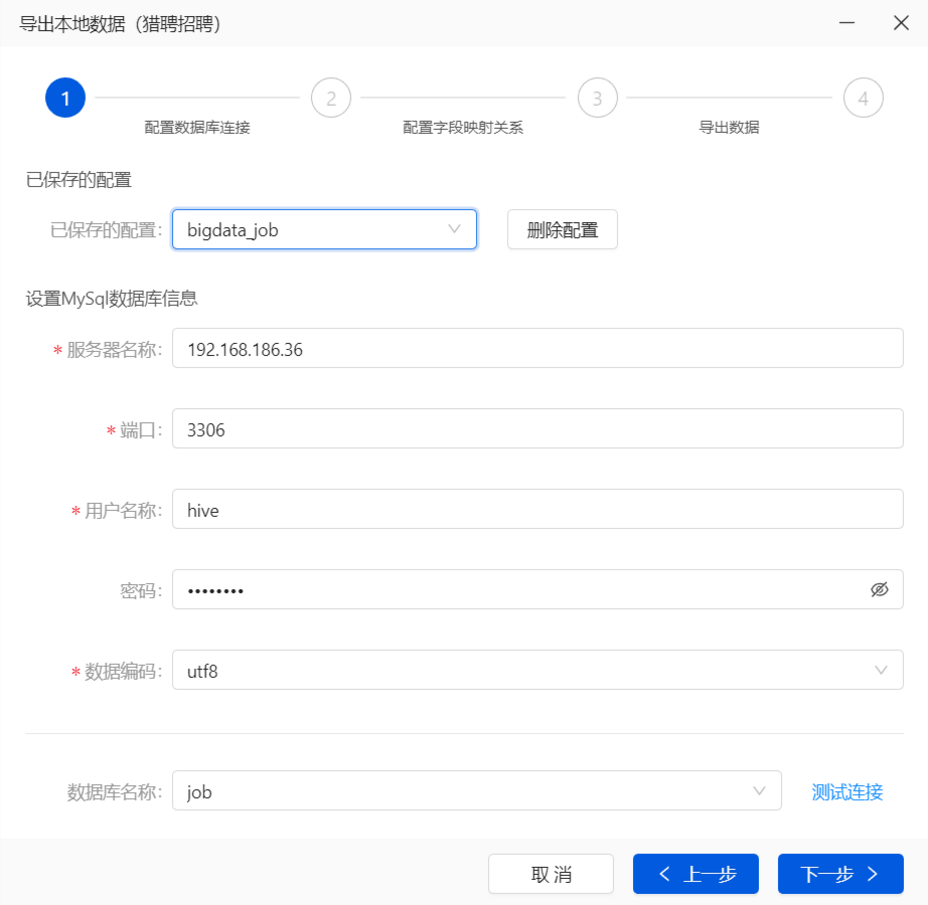
连接配置
找到唯一且不为空不重复的列作为主键,创建正确的映射关系是导出成功的前提
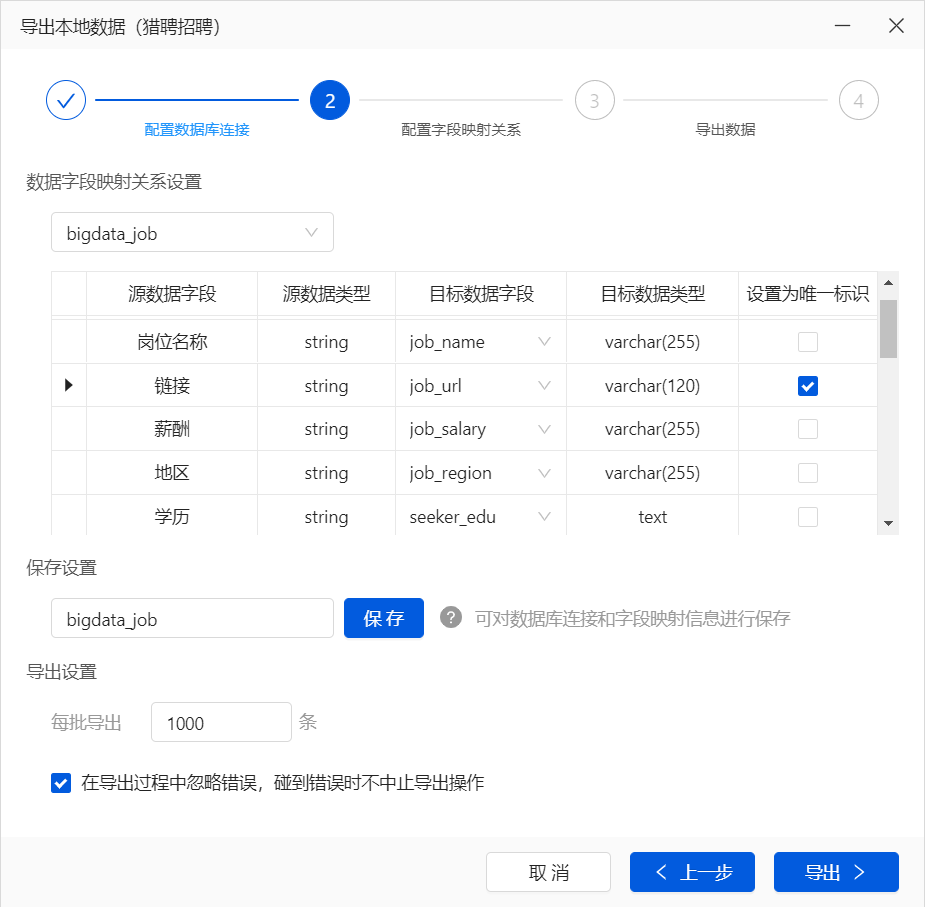
每批导出可以适当减少,因为同一批次中的数据如果有一个导出失败,整个批次也会失败。
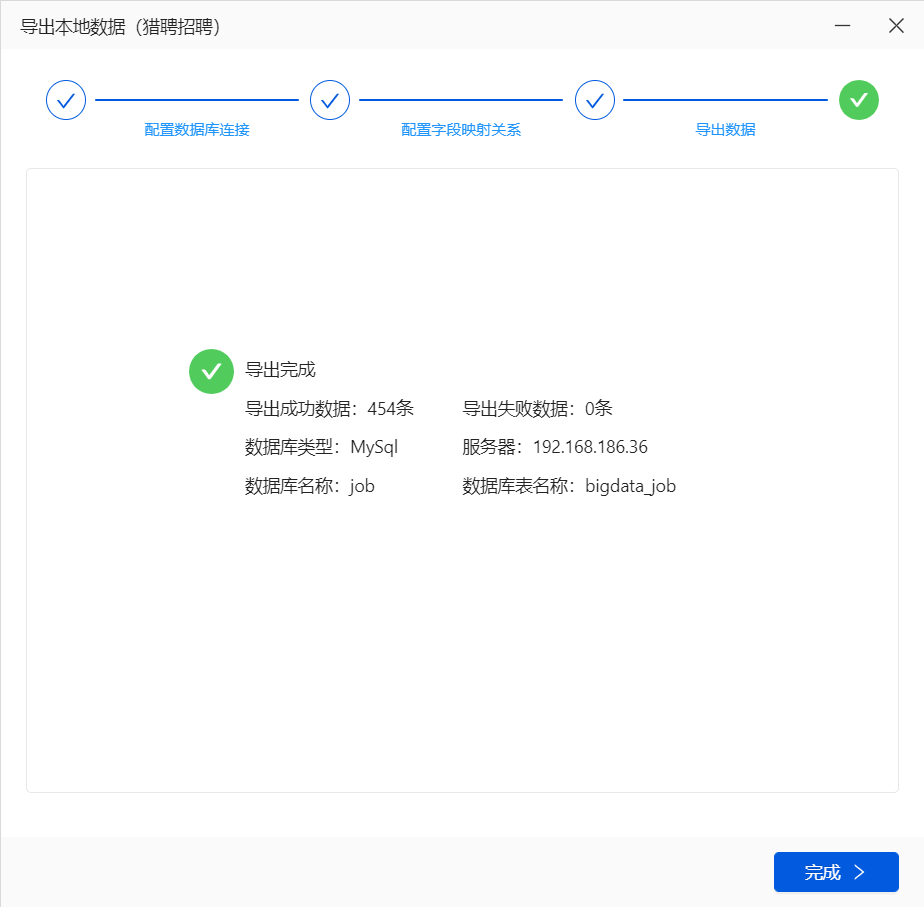
如果还是不能导入,检查数据库表的编码是否支持中文,如果是latin则改成UTF8
导出csv格式再导入MySQL
发现八爪鱼采集的数据中包含回车空格的多余的字符,最好提前处理号再导出,否则导入到Hive时数据会混乱。
也可以在导入hive时使用参数--hive-drop-import-delims去掉两边多余的空格和回车
另外薪水字段的格式不方便后续分析,可以额外添加三个字段,分别放上解析出来的结果。
工作地点有的包含区名,不方便后续分析,可以额外添加一个city字段。
以上对原始数据的处理本是属于数据清洗的过程,一般是通过Hive完成的。这里由于数据采集是通过八爪鱼获得的,里面没有任何业务数据,所以为了方便直接在MySQL表上面添加了几个字段,方便后续的分析。
创建maven工程如下:
<project xsi:schemaLocation="http://maven.apache.org/POM/4.0.0 http://maven.apache.org/maven-v4_0_0.xsd"
         xmlns:xsi="http://www.w3.org/2001/XMLSchema-instance" xmlns="http://maven.apache.org/POM/4.0.0">
        <modelVersion>4.0.0</modelVersion>
    <groupId>org.example</groupId>
    <artifactId>java_csv_to_mysql</artifactId>
    <version>1.0-SNAPSHOT</version>
    <name>java_csv_to_mysql Tapestry 5 Application</name>
    <properties>
        <java.version>1.8</java.version>
    </properties>
    <dependencies>
        <dependency>
            <groupId>net.sourceforge.javacsv</groupId>
            <artifactId>javacsv</artifactId>
            <version>2.0</version>
        </dependency>
        <dependency>
            <groupId>com.alibaba</groupId>
            <artifactId>druid</artifactId>
            <version>1.0.26</version>
        </dependency>
        <dependency>
            <groupId>mysql</groupId>
            <artifactId>mysql-connector-java</artifactId>
            <version>5.1.46</version>
        </dependency>
    </dependencies>
</project>
由于需要导入到MySQL,创建工具类
package com.niit.csv;

import java.sql.*;
import java.util.ResourceBundle;

public class DbUtils {

    private static  Connection connection = null;
    private static  PreparedStatement pps = null;
    private static  ResultSet rs = null;
    private static final String url;
    private static final String username;
    private static final String password;
    private static final String driver;
    public static final int BATCH_SIZE;

    static {
        ResourceBundle bundle = ResourceBundle.getBundle("db");
        url = bundle.getString("url");
        username = bundle.getString("username");
        password = bundle.getString("password");
        driver = bundle.getString("driver");
        BATCH_SIZE = Integer.parseInt(bundle.getString("batchSIze"));

        try {
            Class.forName(driver);
        } catch (ClassNotFoundException e) {
            e.printStackTrace();
        }
    }

    public static Connection getConnection() {
        try {
            connection = DriverManager.getConnection(url, username, password);
        } catch (SQLException e) {
            e.printStackTrace();
        }
        return connection;
    }

    protected static void closeAll() {
        try {
            if (rs != null) {
                rs.close();
            }
            if (pps != null) {
                pps.close();
            }
            if (connection != null) {
                connection.close();
            }
        } catch (SQLException e) {
            e.printStackTrace();
        }
    }
}
创建资源目录(marked as recources folder),并创建db.properties文件, 这里面主要是对MySQL数据源进行配置。
driver=com.mysql.jdbc.Driver
url=jdbc:mysql://192.168.186.100:3306/job?useSSL=false
username=root
password=niit1234
batchSIze=20
接下来编写实体类JobDetail
package com.niit.csv;

import java.util.Date;

/**
 * @Author: deLucia
 * @Date: 2021/4/18
 * @Version: 1.0
 * @Description:
 * 关键词,岗位名称,链接,薪酬,地区,学历,工作经验,发布时间,反馈时间,公司名称,公司链接,融资情况,标签,语言要求,年龄要求,职位描述,公司规模,公司地址,其他信息,公司介绍,企业介绍,当前时间
 */
public class JobDetail {
    /**
     *   链接
     */
    private String jobUrl;
    /**
     *   岗位名称
     */
    private String jobName;
    /**
     * 薪酬
     */
    private String jobSalary;
    /**
     * 地区
     */
    private String jobRegion;
    /**
     * 学历
     */
    private String seekerEdu;
    /**
     * 工作经验
     */
    private String seekerExp;
    /**
     * 发布时间
     */
    private String gmtPublish;
    /**
     * 反馈时间
     */
    private String gmtFeedback;
    /**
     * 公司名称
     */
    private String companyName;
    /**
     * 公司链接
     */
    private String companyUrl;
    /**
     * 融资情况
     */
    private String companyFinancing;
    /**
     * 标签
     */
    private String jobTag;
    /**
     * 当前时间
     */
    private Date gmtCreate;

    /**
     * 最低月薪
     */
    private int minSalaryPerMonth;
    /**
     * 最高月薪
     */
    private int maxSalaryPerMonth;

    /**
     * 一年几薪
     */
    private int monthsSalaryPerYear;

    /**
     * 市
     */
    private String city;

    public String getJobUrl() {
        return jobUrl;
    }

    public void setJobUrl(String jobUrl) {
        this.jobUrl = jobUrl;
    }

    public String getJobName() {
        return jobName;
    }

    public void setJobName(String jobName) {
        this.jobName = jobName;
    }

    public String getJobSalary() {
        return jobSalary;
    }

    public void setJobSalary(String jobSalary) {
        this.jobSalary = jobSalary;
    }

    public String getJobRegion() {
        return jobRegion;
    }

    public void setJobRegion(String jobRegion) {
        this.jobRegion = jobRegion;
    }

    public String getSeekerEdu() {
        return seekerEdu;
    }

    public void setSeekerEdu(String seekerEdu) {
        this.seekerEdu = seekerEdu;
    }

    public String getSeekerExp() {
        return seekerExp;
    }

    public void setSeekerExp(String seekerExp) {
        this.seekerExp = seekerExp;
    }

    public String getGmtPublish() {
        return gmtPublish;
    }

    public void setGmtPublish(String gmtPublish) {
        this.gmtPublish = gmtPublish;
    }

    public String getGmtFeedback() {
        return gmtFeedback;
    }

    public void setGmtFeedback(String gmtFeedback) {
        this.gmtFeedback = gmtFeedback;
    }

    public String getCompanyName() {
        return companyName;
    }

    public void setCompanyName(String companyName) {
        this.companyName = companyName;
    }

    public String getCompanyUrl() {
        return companyUrl;
    }

    public void setCompanyUrl(String companyUrl) {
        this.companyUrl = companyUrl;
    }

    public String getCompanyFinancing() {
        return companyFinancing;
    }

    public void setCompanyFinancing(String companyFinancing) {
        this.companyFinancing = companyFinancing;
    }

    public String getJobTag() {
        return jobTag;
    }

    public void setJobTag(String jobTag) {
        this.jobTag = jobTag;
    }

    public Date getGmtCreate() {
        return gmtCreate;
    }

    public void setGmtCreate(Date gmtCreate) {
        this.gmtCreate = gmtCreate;
    }

    public int getMinSalaryPerMonth() {
        return minSalaryPerMonth;
    }

    public void setMinSalaryPerMonth(int minSalaryPerMonth) {
        this.minSalaryPerMonth = minSalaryPerMonth;
    }

    public int getMaxSalaryPerMonth() {
        return maxSalaryPerMonth;
    }

    public void setMaxSalaryPerMonth(int maxSalaryPerMonth) {
        this.maxSalaryPerMonth = maxSalaryPerMonth;
    }

    public int getMonthsSalaryPerYear() {
        return monthsSalaryPerYear;
    }

    public void setMonthsSalaryPerYear(int monthsSalaryPerYear) {
        this.monthsSalaryPerYear = monthsSalaryPerYear;
    }

    public String getCity() {
        return city;
    }

    public void setCity(String city) {
        this.city = city;
    }

    public JobDetail() {
    }

    @Override
    public String toString() {
        return "JobDetail{" +
                "jobUrl='" + jobUrl + '\'' +
                ", jobName='" + jobName + '\'' +
                ", jobSalary='" + jobSalary + '\'' +
                ", jobRegion='" + jobRegion + '\'' +
                ", seekerEdu='" + seekerEdu + '\'' +
                ", seekerExp='" + seekerExp + '\'' +
                ", gmtPublish='" + gmtPublish + '\'' +
                ", gmtFeedback='" + gmtFeedback + '\'' +
                ", companyName='" + companyName + '\'' +
                ", companyUrl='" + companyUrl + '\'' +
                ", companyFinancing='" + companyFinancing + '\'' +
                ", jobTag='" + jobTag + '\'' +
                ", gmtCreate=" + gmtCreate +
                ", minSalaryPerMonth=" + minSalaryPerMonth +
                ", maxSalaryPerMonth=" + maxSalaryPerMonth +
                ", monthsSalaryPerYear=" + monthsSalaryPerYear +
                ", city='" + city + '\'' +
                '}';
    }
}
最后编写主程序如下:
package com.niit.csv;

import com.csvreader.CsvReader;
import com.sun.xml.internal.fastinfoset.stax.events.Util;

import java.nio.charset.Charset;
import java.sql.Connection;
import java.sql.Statement;
import java.text.SimpleDateFormat;
import java.util.ArrayList;
import java.util.List;

/**
 * @Author: deLucia
 * @Date: 2021/4/13
 * @Version: 1.0
 * @Description: 处理CSV后导入到MySQL
 */
public class ProcessCSV2MySQL {

    private static final SimpleDateFormat SDF = new SimpleDateFormat("yyyy-MM-dd HH:mm:ss.SSS");

    public static void main(String[] args) {

        //生成CsvReader对象,以,为分隔符,GBK编码方式
        CsvReader r;
        List<JobDetail> list = new ArrayList<JobDetail>();
        try {
            String csvFilePath = "./data/data.csv";
            r = new CsvReader(csvFilePath, ',', Charset.forName("UTF-8"));
            //读取表头
            r.readHeaders();
            //逐条读取记录,直至读完
            while (r.readRecord()) {
                JobDetail d = new JobDetail();
                d.setCompanyFinancing(r.get("融资情况").trim());
                d.setCompanyName(r.get("公司名称").trim());
                d.setCompanyUrl(r.get("公司链接").trim());

                String dateStr = r.get("当前时间").trim();
                if (!Util.isEmptyString(dateStr)) {
                    d.setGmtCreate(SDF.parse(dateStr));
                }

                d.setGmtFeedback(r.get("反馈事件").trim());
                d.setGmtPublish(r.get("发布时间").trim());
                d.setJobName(r.get("岗位名称").trim());
                String regionString = r.get("地区").trim();
                d.setJobRegion(regionString);
                String salaryStr = r.get("薪酬").trim();
                d.setJobSalary(salaryStr);
                d.setJobTag(r.get("标签").trim());
                d.setJobUrl(r.get("链接").trim());
                d.setSeekerEdu(r.get("学历").trim());
                d.setSeekerExp(r.get("经验").trim());

                //   20-60k·14薪
                if (!Util.isEmptyString(salaryStr) && !"面议".equals(salaryStr)) {
                    String[] split = salaryStr.split("·");
                    String[] s = split[0].split("-");
                    // MIN_SALARY_PER_MONTH
                    d.setMinSalaryPerMonth(Integer.parseInt(s[0]));
                    // MAX_SALARY_PER_MONTH
                    d.setMaxSalaryPerMonth(Integer.parseInt(s[1].replace("k", "")));
                    // MONTHS_SALARY_PER_YEAR
                    d.setMonthsSalaryPerYear(Integer.parseInt(split[1].replace("薪","")));
                }

                // city
                if (!Util.isEmptyString(regionString)) {
                    d.setCity(regionString.split("-")[0]);
                }

                list.add(d);
            }
            r.close();

            int totalSize = list.size();
            int index = 0;
            int batchCount = 0;
            Connection connection = DbUtils.getConnection();
            Statement statement = connection.createStatement();

            while (index <= totalSize - 1) {
                StringBuilder sb = new StringBuilder();
                for (int i = index; i < index + DbUtils.BATCH_SIZE; i++) {
                    if (i > totalSize - 1) {
                        break;
                    }
                    JobDetail d = list.get(i);
                    if (i != index) {
                        sb.append(",");
                    }
                    sb.append("(\"");
                    sb.append(d.getJobUrl());
                    sb.append("\",\"");
                    sb.append(d.getJobName());
                    sb.append("\",\"");
                    sb.append(d.getJobSalary());
                    sb.append("\",\"");
                    sb.append(d.getJobRegion());
                    sb.append("\",\"");
                    sb.append(d.getSeekerEdu());
                    sb.append("\",\"");
                    sb.append(d.getSeekerExp());
                    sb.append("\",\"");
                    sb.append(d.getGmtPublish());
                    sb.append("\",\"");
                    sb.append(d.getGmtFeedback());
                    sb.append("\",\"");
                    sb.append(d.getCompanyName());
                    sb.append("\",\"");
                    sb.append(d.getCompanyUrl());
                    sb.append("\",\"");
                    sb.append(d.getCompanyFinancing());
                    sb.append("\",\"");
                    sb.append(d.getJobTag());
                    sb.append("\",\"");
                    sb.append(d.getGmtCreate());
                    sb.append("\",\"");
                    sb.append(d.getMinSalaryPerMonth());
                    sb.append("\",\"");
                    sb.append(d.getMaxSalaryPerMonth());
                    sb.append("\",\"");
                    sb.append(d.getMonthsSalaryPerYear());
                    sb.append("\",\"");
                    sb.append(d.getCity());
                    sb.append("\")");

                }

                index += DbUtils.BATCH_SIZE;

                System.out.println(sb.toString());
                int updateResult = statement.executeUpdate("INSERT INTO `bigdata_job` VALUES " + sb.toString());

                if (updateResult > 0) {
                    System.out.println("Batch[" + (batchCount++) + "]: " + updateResult + " records updated successfully.");
                } else {
                    System.out.println("Batch[" + (batchCount++) + "]: " + updateResult + " records failed to update.");
                }
            }
        } catch (Exception e) {
            e.printStackTrace();
        } finally {
            DbUtils.closeAll();
        }
    }
}
这里设置了每10条数据一个批次,批次的大小可以通过BATCH_SIZE来修改。
数据导入
下面通过sqoop将mysql的数据导入到hive表当中,以便后续进行统计分析的工作。
在hive当中创建表
Hive是一个数据仓库基础工具提供简单的sql查询功能,可以将sql语句转换为MapReduce任务进行运行。Hive 并不能够在大规模数据集上实现低延迟快速的查询,Hive 的最佳使用场合是大数据集的批处理作业,例如,网络日志分析。
进入到hive的客户端,然后执行以下命令来创建hive数据库以及hive数据库表
create table job_detail(
job_url string,
job_name string,
job_salary string,
job_region string,
seeker_edu string,
seeker_exp string,
gmt_publish string,
gmt_feedback string,
company_name string,
company_url string,
company_financing string,
job_tag string,
gmt_create string,
min_salary_per_month int,
max_salary_per_month int,
months_salary_per_year int,
city string
) partitioned by (data_date string) row format delimited fields terminated by '\001' location 'hdfs://hadoop100:8020/user/hive/warehouse/job.db/job_detail';
使用sqoop将mysql数据导入到hive当中
数据进入mysql数据库之后,可以使用sqoop工具来讲数据导入到hive数仓当中,进行统一分析
sqoop import  \
    --connect jdbc:mysql://hadoop100:3306/job?useSSL=false  \
    --username root \
    --password niit1234 \
    --table bigdata_job \
    --delete-target-dir  \
    --hive-import  \
    --hive-database job  \
    --hive-table job_detail  \
    --hive-partition-key data_date  \
    --hive-partition-value 2021-02-28 \
    --hive-drop-import-delims \
    -m 1
使用Hive对大数据岗位数据进行多维分析
接下来使用hive进行统计分析工作,并将分析结果分别存在另一张hive表中。
1. 统计此次爬取的数据中一共有多少个大数据岗位
创建表
> create table job_count(process_date string,total_job_count int) partitioned by (data_date string) row format delimited fields terminated by '\001';
查询并插入数据
> insert overwrite table job_count partition(data_date = '2021-02-28') select '2021-02-28' as process_date,count(distinct job_url) as total_job_count from job_detail;
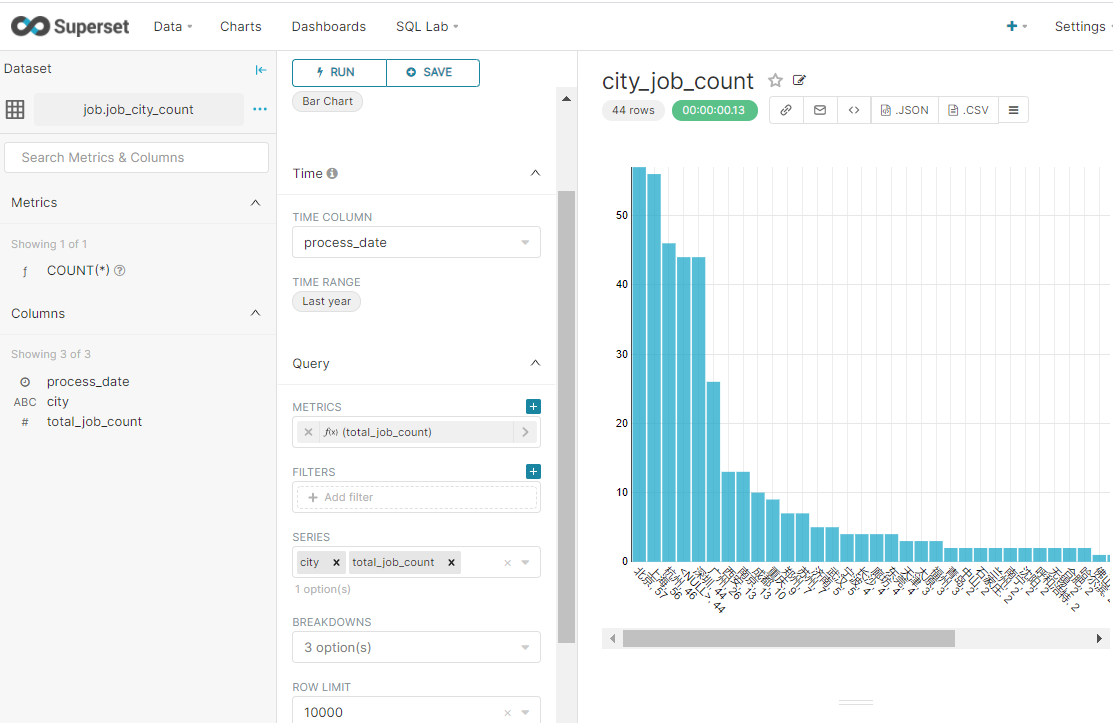
2、统计每个城市提供的大数据岗位数量
创建表
> create table job_city_count(process_date string,city string, total_job_count int) partitioned by (data_date string);
查询并插入数据
> insert overwrite table job_city_count partition(data_date = '2021-02-28') select '2021-02-28' as process_date, city, count(distinct job_url) as total_job_count from job_detail group by city;
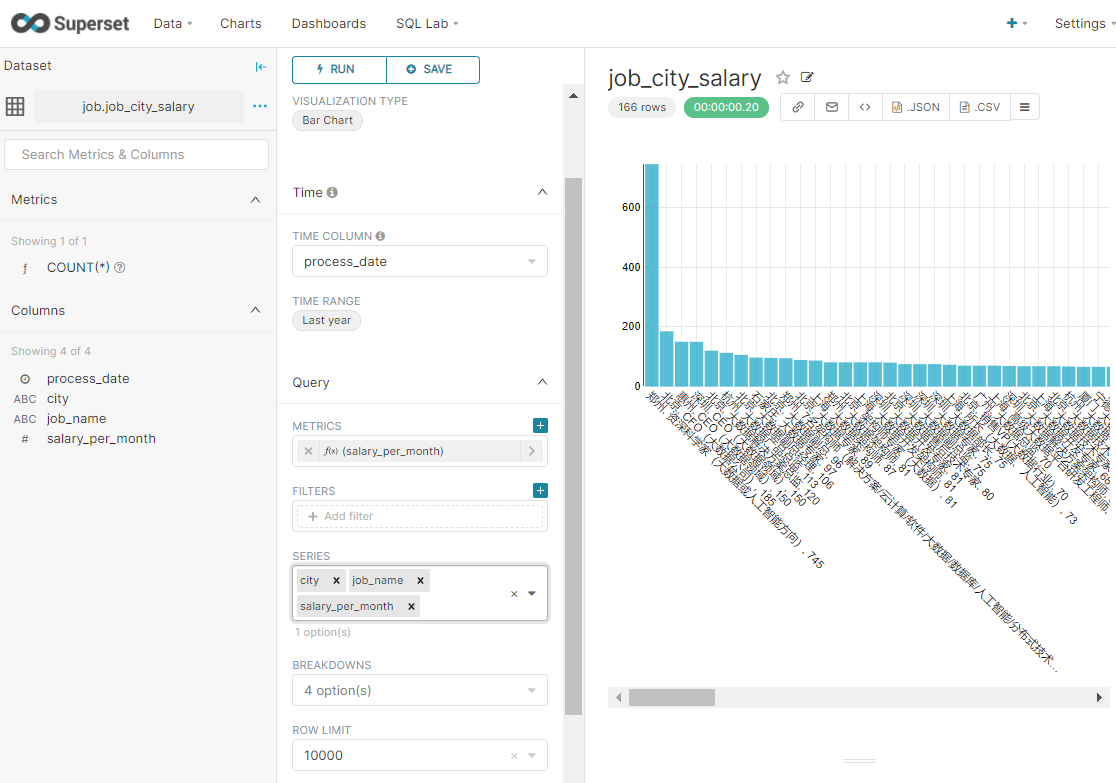
3、按照薪资降序排序各城市大数据相关岗位(每个城市按薪资倒序取前10)
创建表
> create table job_city_salary(process_date string,city string, job_name string, salary_per_month int) partitioned by (data_date string);
查询并插入数据
insert overwrite table job_city_salary partition(data_date = '2021-02-28')
select
  "2021-02-28" as process_date,
  city,
  job_name,
  salary_per_month
from (
  select
    city,
    job_name,
    salary_per_month,
    row_number() over (partition by city order by salary_per_month desc) as rank
  from (
    select
      city,
      job_name,
      avg((min_salary_per_month + max_salary_per_month) * months_salary_per_year / 24) as salary_per_month
    from job_detail
    group by city,job_name having city!="null"
  ) tmp1
) tmp2 where rank<=10;
说明:
- row_number() over (partition by ... order by)用来实现topN查询
- 分组->排序->打行号标记,再套一层子查询根据行号打印每个分组的前10条记录
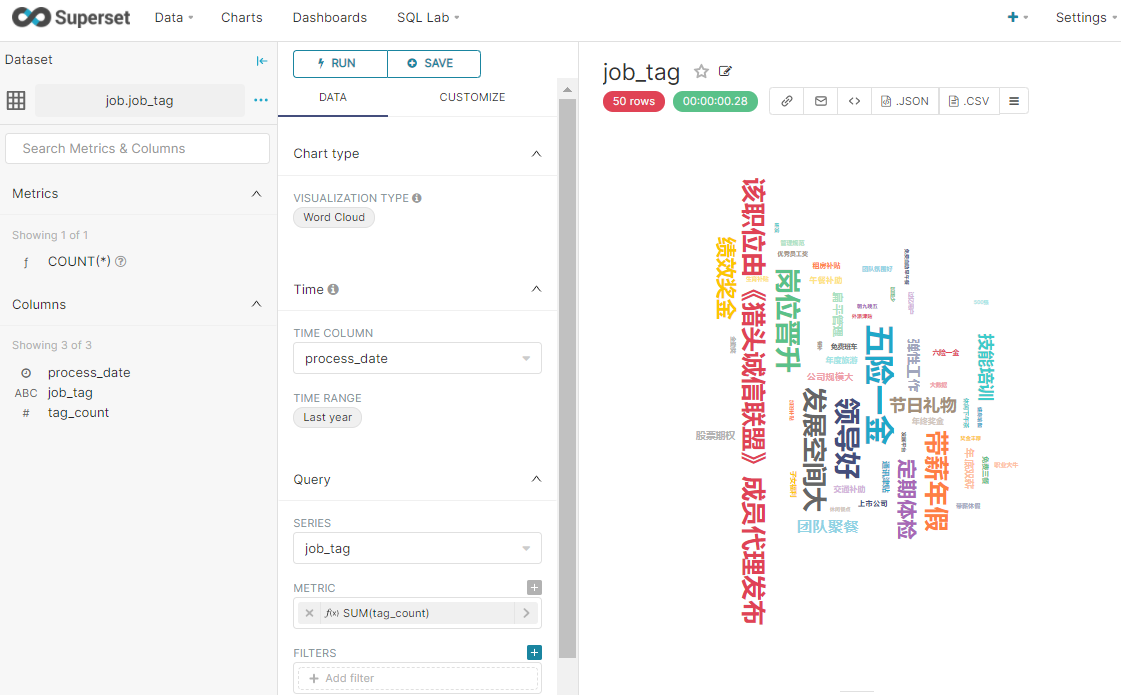
4、统计所有大数据岗位中出现次数最多的标签(取倒序前50个标签)
创建表
create table job_tag(process_date string,job_tag string, tag_count int) partitioned by (data_date string);
查询并插入数据
insert overwrite table job_tag partition(data_date='2021-02-28')
select
  '2021-02-28' as process_date,
  tmptable.single_tag as job_tag,
  count(single_tag) as tag_count
from (
  select subview.single_tag from job_detail lateral view explode(split(job_tag," ")
) subview as single_tag) tmptable group by single_tag order by tag_count desc limit 50;
说明:
explode函数可以将单行数据(数组)转换成多列数据输出(行转列)- 使用
UDTF函数时(如split函数)只能select拆分出来的字段
- 如果想要同时
select其他字段,需配合侧视图(lateral view)使用
single_tag是给拆分出来的字段起的别名
Views: 143